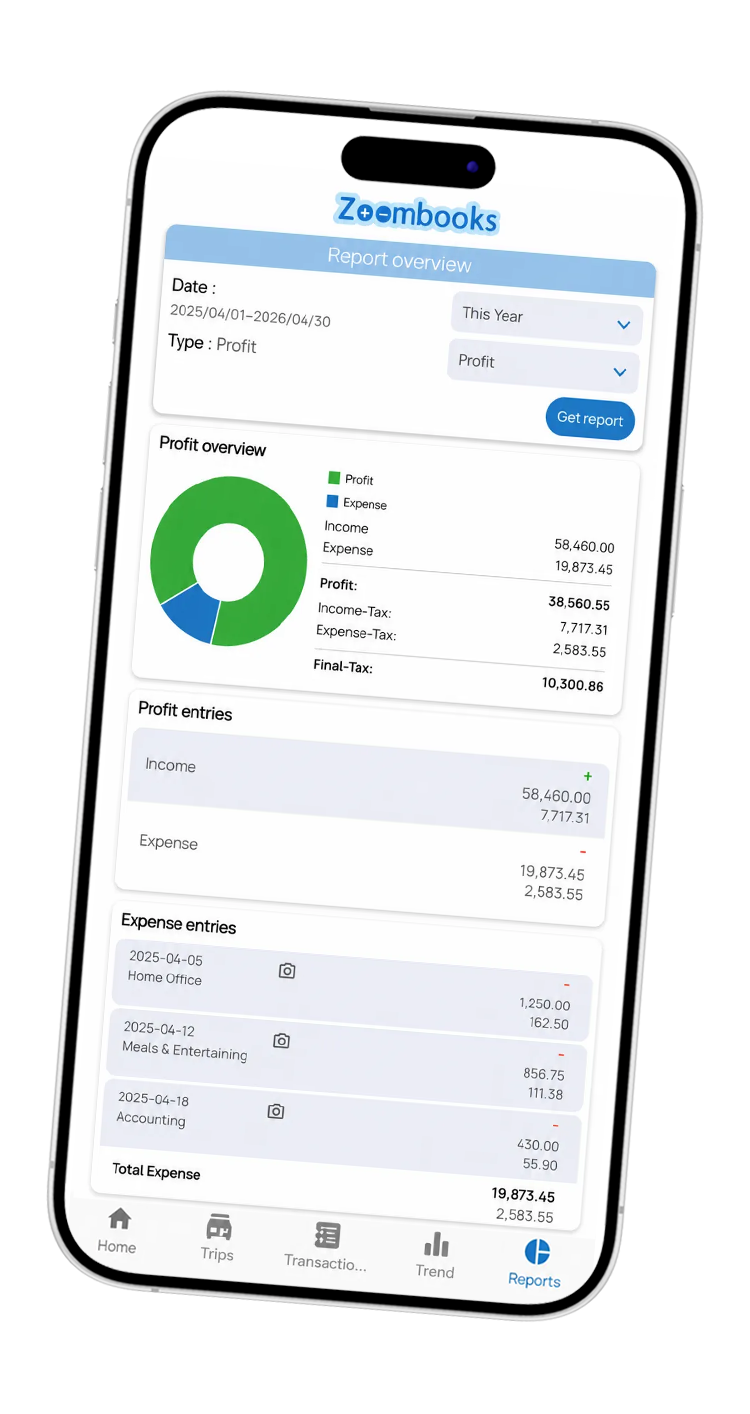
Expense Tracker & Bookkeeping app for Incorporated Contractors & Consultants
Zoombooks helps contractors, management consultants, and incorporated professionals track business expenses, client income, GST/HST, receipts, and vehicle mileage as they work. When it's time to prepare your T2 corporate return or T2125 statement, hand your accountant tax-ready books—not an cleanup project.
- Built for incorporated contractors, consultants & self-employed
- GST/HST and ITC tracking
- T2 & T2125 tax-ready exports
- Mobile + Web dashboard
Trusted by contractors, consultants & incorporated professionals who want simpler bookkeeping
I run my business on my own, so I do not have time to stay on top of a complicated spreadsheet. I spend a few minutes in Zoombooks during the week, and that is enough to keep things organized.
“Cash flow at a glance”
The dashboard helps me see what is coming in and what is going out without digging through spreadsheets. It makes it easier to know where the business stands.
 Rolando R.
“Great all-in-one tracker!”
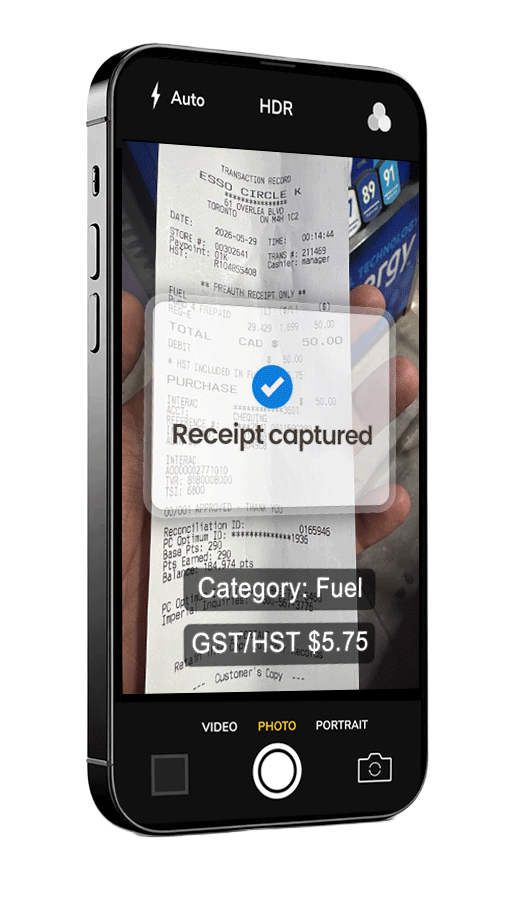
The app is simple to use. I can take a photo of a receipt, add the details, and know it is saved with the rest of my business records.
 Tariq
Tariq
“Saves me hours every month”
Bookkeeping is not my strength, but the app keeps my expenses and receipts organized enough that I am not scrambling when my accountant asks for something.
 Stiff Lane
“Does what I need”
I use it to track mileage and expenses while I am working. It is simple enough that I actually keep using it.
 Krishnan KR
Busy Professionals > Organized Books > Tax Savings & Peace of Mind
Zoombooks is designed for the part of bookkeeping you can realistically handle yourself. Record the expense. Keep the receipt. Track the GST/HST. Log the mileage. Keep the books moving.


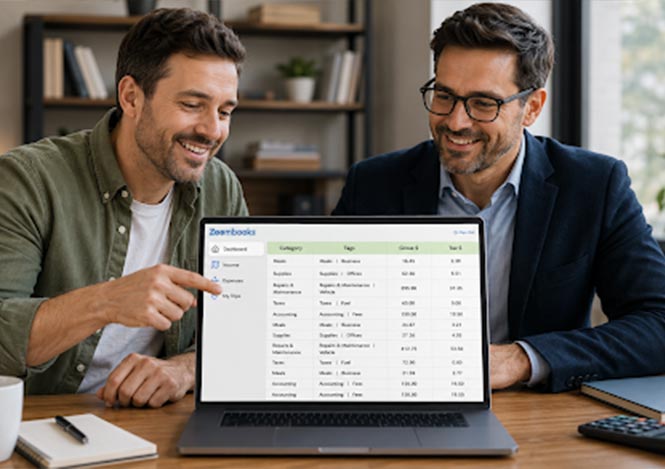
From First Receipt to Accountant-ready Reports in 4 Steps
You do not need bookkeeping training to use Zoombooks. If you can take a photo, you can start keeping better business records. No complicated setup. No accounting software course. Just track as you work.
Download & set up
Create your account and add your business. Zoombooks is built first for incorporated contractors, consultants, and professional corporations, with support for self-employed users as well.
Capture expenses as you go
Snap receipts, log income, and record mileage while the details are fresh. A few seconds now saves hours of sorting later.
Keep GST/HST visible all year
Each entry helps you organize the GST/HST paid or collected. Instead of waiting until filing time to understand your numbers, you can stay informed throughout the year.
Generate reports when your accountant needs
At tax time, export your organized income, expense, GST/HST, ITC, and mileage records. Your accountant starts with cleaner information for T2/T2125 preparation. Good for DIY tax filing as well.
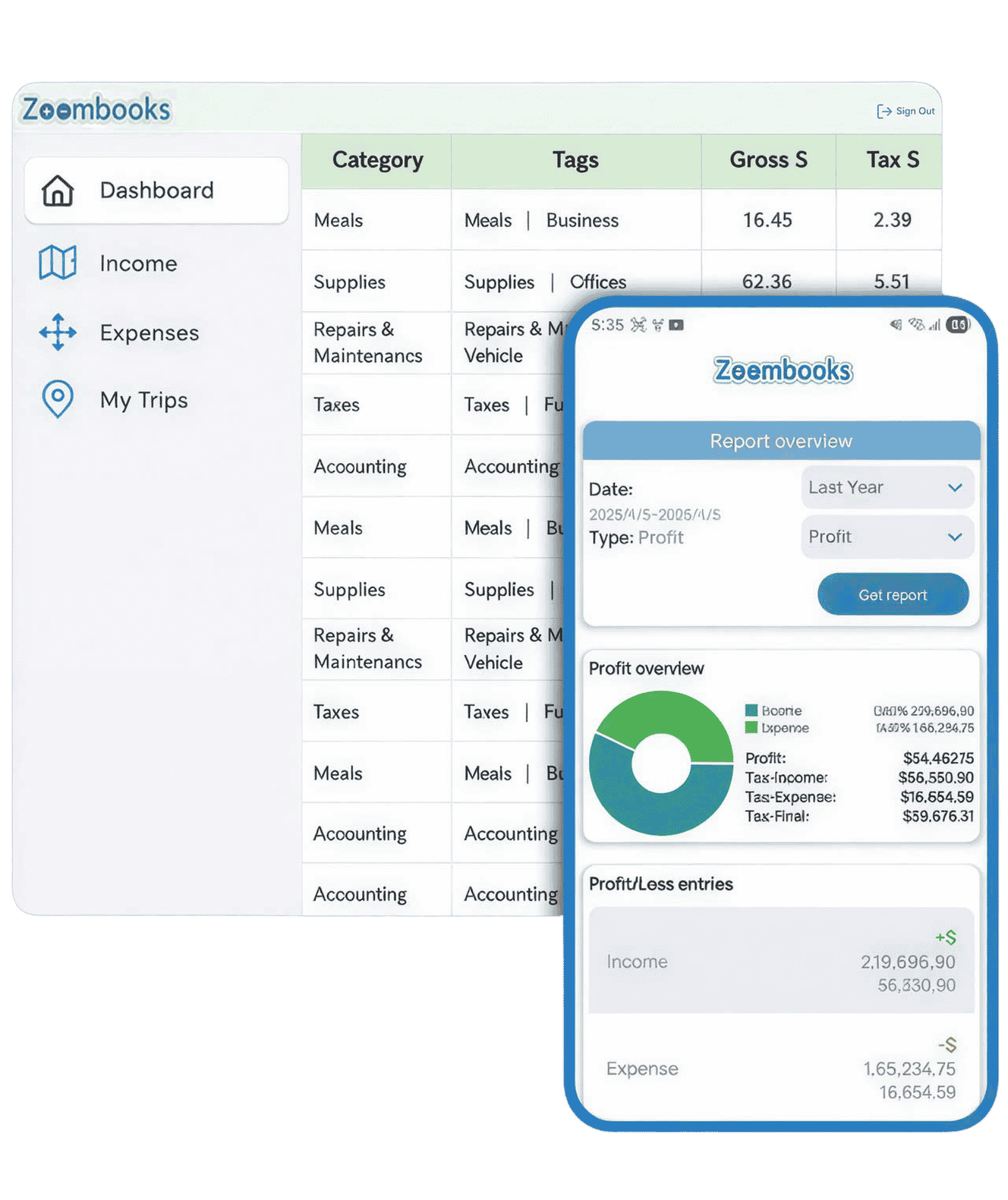
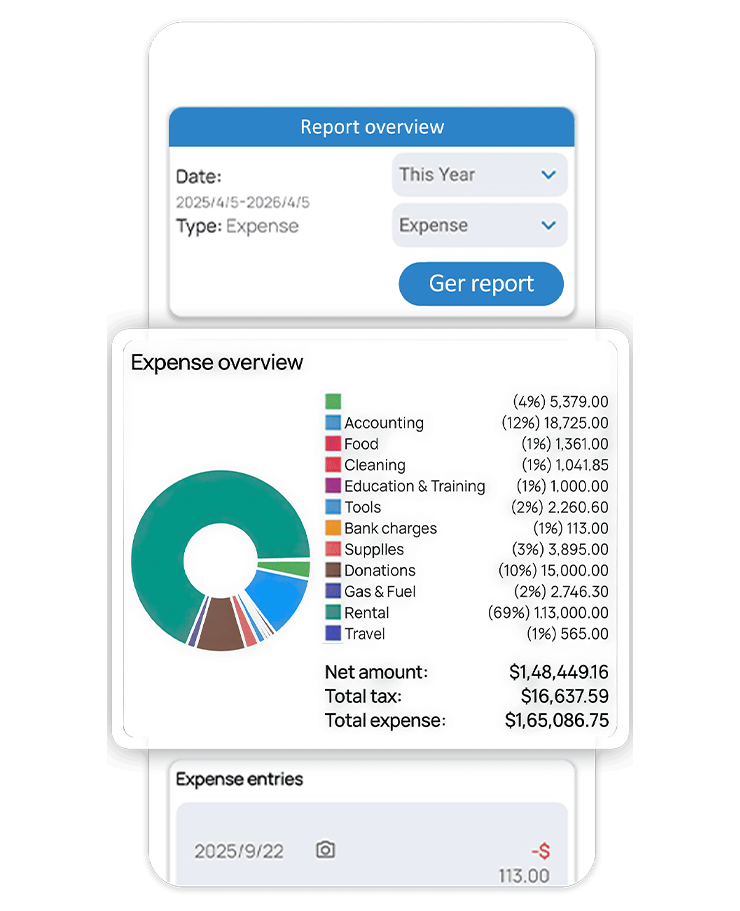
The Bookkeeping App Built for How Canadian Incorporated Professionals Work
You don't need to become an accountant to keep your books up to date. Zoombooks helps you record expenses, scan receipts, track GST/HST and mileage, monitor income and keep organized records throughout the year - so tax time starts with a year's worth of bookkeeping, not a year's worth of catching up.
Why a personal expense tracker won't work for your business
Personal finance apps like YNAB, Mint, and Spendee track household spending groceries, subscriptions, and rent. They have no concept of CRA deduction categories, GST/HST paid on purchases, Input Tax Credits, or the difference between a deductible business meal and a personal lunch.
A business expense tracker needs to separate deductible from non-deductible spending, capture the GST/HST component on every receipt, tag expenses to specific clients or job sites, and produce reports your accountant can use directly for tax filing. That is what Zoombooks does because it was built by the same Canadian tax accountants who file contractor returns every year.
What makes Zoombooks different from QuickBooks, Wave, and accounting apps
Based on years of experience as Canadian tax accountants, we’ve seen how QuickBooks, FreshBooks, Wave, and similar bookkeeping platforms can be overkill for incorporated professionals, solo corporations, and self-employed businesses. They’re often designed for businesses with payroll, inventory, fixed assets, and high-volume transactions — features many solo professionals simply don’t need.
Zoombooks was built differently. Created by the accountants at Instaccountant, it is designed specifically around the bookkeeping and tax needs of Canadian incorporated contractors, consultants, and self-employed professionals. It wasn’t adapted from a U.S. bookkeeping product or built around features you’ll never use.
Instead, Zoombooks gives you the essential toolkit in one place: receipt scanning, business vs. personal mileage tracking, GST/HST and ITC calculations, customer and vendor tagging, and tax-ready exports for T2125 and T2 corporate tax returns.
Simple enough to keep using. Structured enough to keep your books tax-ready all year.
How GST/HST tracking works inside Zoombooks expense tracker
Every business expense you log in Zoombooks captures the GST/HST component automatically. Scan a receipt for software, materials or a client meal, and the app separates the gross amount from the GST/HST paid - calculating your Input Tax Credits (ITCs) position through the year. Zoombooks tracks GST/HST collected on your invoices against GST/HST paid on your expenses, so you always know your net position before filing your quarterly or annual GST/HST return.
Why spreadsheets and shoeboxes fail every tax season
The problem is not discipline it is "friction". Spreadsheets require you to open a laptop, find the right tab, type the vendor, amount, GST/HST, category, and date for every single purchase. Zoombooks reduces that to just snapping the receipt. Eight seconds per expense instead of hours of reading receipts and manual spreadsheet data entry.
Most Canadian incorporated professionals start the year with good intentions a fresh Excel sheet or a dedicated envelope for receipts. By week three, work fatigue takes over and the tracking stops. When tax season arrives, you are paying a bookkeeper somewhere around $500 to $1,500 just to reconstruct what should have been logged in real time.
What the CRA actually requires from your expense records
The Canada Revenue Agency requires incorporated contractors and self-employed individuals to keep supporting documents for every business expense claimed on their T2 corporate tax return or T2125. Each record must include the vendor name, transaction date, itemized amount and the GST/HST/PST paid.
These records must be retained for a minimum of six years from the end of the tax year they relate to. During a CRA audit, bank statements alone are not sufficient you need the actual receipt or invoice. Zoombooks stores every scanned receipt in secure cloud storage with timestamps, automatically satisfying the six-year record retention rule without you managing a single folder or a shoe box receipts.
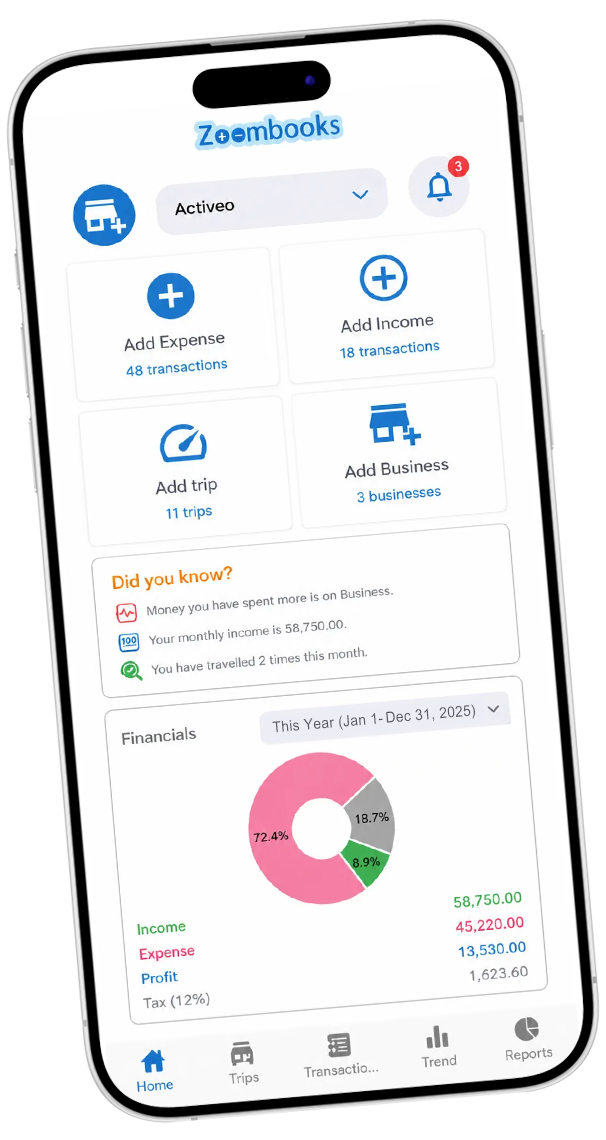
The Expense Tracker Built by Canadian Tax Accountants
Download Zoombooks and start tracking your business expenses, GST/HST, mileage, and income today. Keep your books organized throughout the year and give your accountant cleaner, tax-ready records at year-end.